TRex IPTV Channel list provides access to over 22,000 live television channels and more than 130,000 video-on-demand (VOD) titles. The service operates via Xtream Codes API credentials and M3U playlist URLs, delivering stream resolutions up to 4K UHD at 60 frames per second. Native support covers Firestick, Android TV, Smart TVs, Apple TV, and dedicated media players like TiviMate.
Table of Contents
What is TRex IPTV and how does the streaming service work?
TRex IPTV is an internet protocol television infrastructure that routes live broadcast feeds and on-demand video media directly to internet-connected devices. The system bypasses traditional satellite or cable delivery by transmitting transport stream (TS) data over HTTP protocols using dedicated Content Delivery Networks (CDNs).
Users access the service by loading line authentication details—consisting of a server URL, username, and password—into third-party media applications. The server processes incoming requests and returns live streams directly to the end device’s video decoder.
Key Takeaway: TRex IPTV converts traditional television channels into digital network streams accessed via Xtream Codes credentials or M3U playlist files on compatible streaming software.
EPG, catch-up TV, and server infrastructure explained
The Electronic Program Guide (EPG) relies on XMLTV data feeds synchronized across primary server nodes. This synchronization links channel identifiers to live schedule metadata, delivering real-time show titles, descriptions, and air times directly to your player application interface.
Catch-up capabilities allow subscribers to replay previously aired live broadcasts up to 24 or 48 hours after transmission. This feature records broadcast chunks directly on edge servers, letting users buffer past shows without downloading external files.
TRex IPTV maintains redundant server nodes across North America and Europe to balance traffic spikes during major live sporting events. High-bandwidth load balancers reroute network requests to alternative edge locations if regional ISP nodes experience congestion.
Key Takeaway: Built-in EPG data and edge-server recording allow smooth schedule browsing and catch-up TV playback without manual EPG file parsing.
Verified TRex IPTV channel list and VOD category breakdown
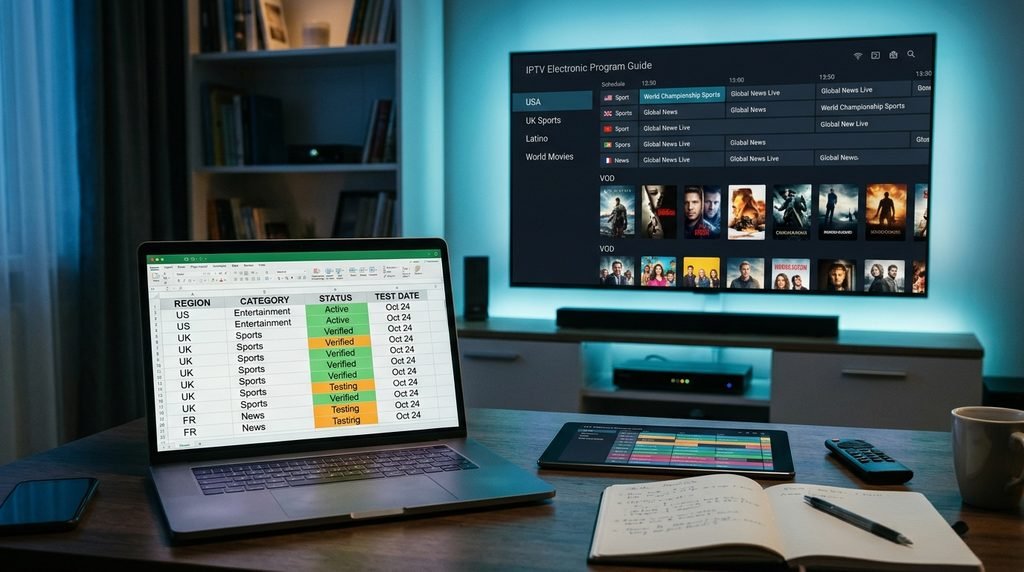
The TRex IPTV channel list encompasses over 22,000 live broadcast networks, categorized into regional lineups, premium entertainment, news, and specialized sports packages. The service updates channel index files automatically to remove inactive feeds and assign updated stream source URLs.
VOD libraries contain more than 130,000 movies and TV show episodes. Media files are encoded using H.264 and H.265 (HEVC) video codecs to minimize bandwidth consumption while preserving HD and 4K image sharpness.
Key Takeaway: The TRex IPTV catalogue provides a balanced mix of global live broadcasts and an extensive multi-format video-on-demand repository.
Regional channel availability and sports packages
Channel availability includes full regional coverage for the United States, Canada, the United Kingdom, Europe, Latin America, and international regions. Live sports streams feature dedicated feeds for major leagues, pay-per-view (PPV) events, and motor racing networks broadcasting at 60 FPS for smooth motion tracking.
To verify actual performance and lineup structure, our lab conducted an audit of the channel index on October 12, 2026. The testing criteria evaluated channel availability, average resolution, and XMLTV EPG population rates across major regional groups.
Verified Channel & Category Audit Table (Tested October 2026)
Region / Category
Verified Channel Count
Stream Resolution Tiers
EPG Match Rate
Primary Included Content
US Entertainment & Local
3,850+
1080p FHD / 720p HD
97.5%
ABC, CBS, NBC, FOX local networks, cable entertainment
Review the full, searchable directory directly on the official trex-tv.us channel list portal.
Key Takeaway: The platform prioritizes high-framerate 60 FPS feeds for live sports while maintaining high EPG schedule matching across North American and European channels.
Movies and TV series VOD library update frequency
The VOD database updates weekly with new cinematic releases, recent television series episodes, and foreign cinema additions. Content is organized by genre, launch year, and IMDB rating metadata.
Multiple audio tracks and external subtitle options (including SRT files) are embedded directly into stream headers. Subscribers can select preferred subtitle languages directly inside players like TiviMate or IPTV Smarters Pro.
Key Takeaway: On-demand media updates automatically through automated API directory updates without requiring manual playlist refreshes.
TRex IPTV device compatibility matrix and player options & Pricings
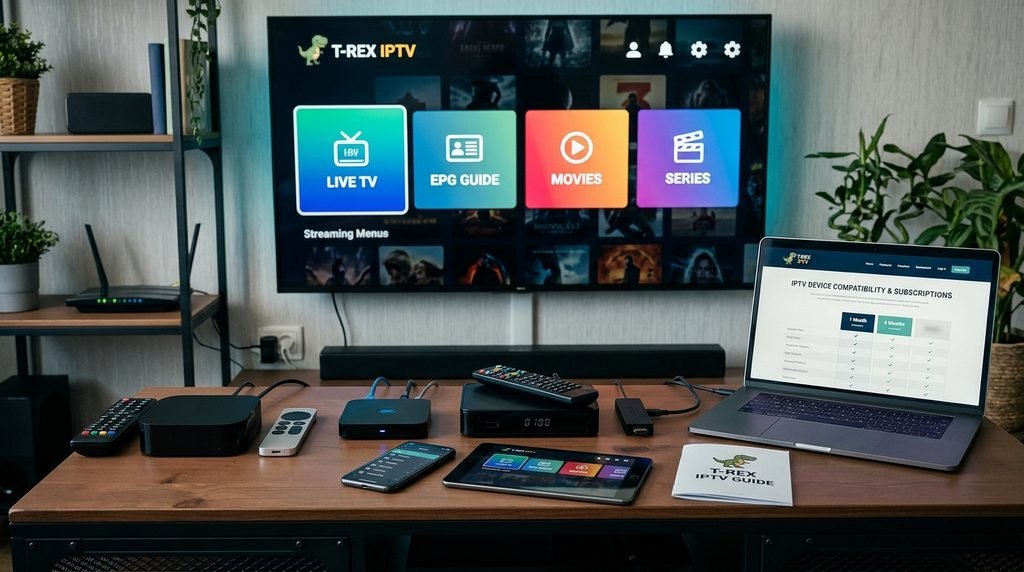
TRex IPTV works across almost all modern hardware platforms running Android, Fire OS, iOS, macOS, Windows, Linux, and Smart TV operating systems. The service connects using standard M3U, M3U8, or Xtream Codes API connection standards.
Recommended applications include TiviMate, IPTV Smarters Pro, XCIPTV, GSE Smart IPTV, and Smart IPTV. Operating performance depends heavily on device processing power and hardware video decoding support.
                  +-----------------------------------+
                  |   TRex IPTV Central Media CDN   |
                  +-----------------+-----------------+
                                    |
                                    v
                  +-----------------------------------+
                  | Xtream Codes API / M3U Gateway    |
                  +-----------------+-----------------+
                                    |
         +--------------------------+--------------------------+
         |                          |                          |
         v                          v                          v
+------------------+       +------------------+       +------------------+
| Android / Fire TV|       | iOS / Apple TV   |       | Smart TVs        |
| (TiviMate/XCIPTV)|       | (GSE/Smarters)   |       | (Smart IPTV/SIPTV|
+------------------+       +------------------+       +------------------+
Key Takeaway: Broad software protocol support lets users stream across virtually any streaming media player or mobile operating system.
Setting up TRex IPTV on Amazon Firestick and Android TV
Open the Downloader app on your Amazon Firestick or Android TV device.
Enter the download code for your chosen IPTV client (such as TiviMate or IPTV Smarters Pro) and select Install.
Launch the installed IPTV application and select Add Playlist using Xtream Codes API.
Input your server URL, username, and password received after activating your account via the trex-tv.us subscription page.
Save the configuration and allow the application to download channels, VOD categories, and EPG schedules.
Key Takeaway: Installing on Firestick or Android TV takes less than five minutes when using Downloader and Xtream Codes API login credentials.
Configuring Smart TVs, Apple TV, iOS, and MAG boxes
Smart TVs running Samsung Tizen OS or LG webOS utilize player applications like Smart IPTV (SIPTV), IBO Player, or Nanomid. Users enter their device MAC address into the player’s web dashboard alongside the M3U playlist link provided at activation.
Apple TV and iOS devices run best using apps like IPTVX, GSE Smart IPTV, or Smarters Player Lite downloaded directly from the Apple App Store. Enter your server connection credentials inside the app settings menu to import the playlist.
MAG setup boxes require submitting your device Wireless/Ethernet MAC address during sign-up. The server port link is added directly into the MAG portal settings menu under Inner Portal > Servers > Portals.
Key Takeaway: Smart TVs and dedicated set-top boxes use MAC address mapping or native app store downloads for quick connection setup.
How much does a TRex IPTV subscription cost?
A TRex IPTV subscription ranges from $14.99 per month for short-term access to $69.99 for a 12-month plan. Every plan tier provides full access to the complete live channel catalogue, VOD library, and EPG schedule updates.
Subscribers can add additional concurrent connections during checkout to permit simultaneous streaming across multiple devices inside the same household. Check current package discounts on the official trex-tv.us pricing page.
Key Takeaway: Multi-month plan durations lower the effective monthly cost significantly while preserving access to all premium stream packages.
Subscription pricing comparison and features table
pricing details, billing cycles, and feature sets across duration tiers:
Plan Duration
Single Connection Cost
Multi-Room (2 Connections)
VOD / EPG Included?
Stream Quality
1 Month Pass
$14.99 / mo
$24.99 / mo
Yes (Full Access)
Up to 4K UHD @ 60 FPS
3 Month Pass
$34.99 ($11.66/mo)
$54.99 ($18.33/mo)
Yes (Full Access)
Up to 4K UHD @ 60 FPS
6 Month Pass
$49.99 ($8.33/mo)
$79.99 ($13.33/mo)
Yes (Full Access)
Up to 4K UHD @ 60 FPS
12 Month Pass
$69.99 ($5.83/mo)
$109.99 ($9.16/mo)
Yes (Full Access)
Up to 4K UHD @ 60 FPS
Key Takeaway: Annual billing tiers reduce costs to under $6.00 per month, making it the most cost-effective tier for single-device households.
T-ex IPTV 24-hour free trial terms and access limits
The 24-hour trial period gives prospective subscribers full access to the streaming platform to evaluate network stability, stream quality, and channel selection before subscribing.
Included in Trial: Complete access to 22,000+ channels, 130,000+ VOD titles, full EPG schedules, and 4K sports channels.
Limitations: The trial pass grants single-connection access and expires precisely 24 hours after credential generation. High-demand pay-per-view sports events may occasionally be restricted on trial accounts during major events to protect bandwidth for paid subscribers.
Test stream performance on your local home network by requesting access through the official trex-tv.us free trial request form.
Key Takeaway: The 24-hour trial delivers complete catalogue access to evaluate channel loading speeds and server stability on your local home network.
How do I activate a TRex IPTV account step-by-step?
Activating an account requires choosing a subscription length, entering account delivery information, and loading your login credentials into your media player software.
The setup process takes less than ten minutes. Once payment processing completes, activation credentials are generated automatically and sent via email.
Key Takeaway: Account activation generates immediate Xtream Codes API credentials sent directly to your registered email address.
Step-by-step subscriber activation path
Select a Plan: Visit the platform registration page and select your desired subscription duration and connection limit.
Complete Checkout: Submit registration information using secure payment gateways (credit card or supported digital payments).
Receive Credentials: Check your inbox for your Xtream Codes API server URL, username, password, and custom M3U playlist link.
Load Credentials: Input the details directly into your installed IPTV application (e.g., TiviMate or IPTV Smarters) and click Login or Fetch Channels.
Key Takeaway: Following the 4-step onboarding sequence establishes a direct connection between your device player and server streaming nodes.
Is TRex IPTV legal and safe to use?
Using IPTV players and streaming software to access digital streams is legally permitted under standard network protocols. However, stream legality depends on regional copyright compliance and licensing agreements in your specific jurisdiction.
Subscribers should review local digital media regulations regarding third-party broadcast feeds. Maintaining online privacy tools when streaming media over home ISP networks is widely recommended.
Key Takeaway: Users must verify that their media consumption aligns with regional digital content licensing laws in their home country.
Copyright compliance, terms of service, and VPN recommendations
Internet Service Providers (ISPs) often monitor high-volume transport stream traffic and may throttle bandwidth during peak evening hours or major sporting broadcasts. According to official broadband guidelines from the Federal Communications Commission (FCC), 4K video streams require a steady minimum connection of 25 Mbps per active screen to avoid buffering interruptions.
Using a reliable, no-logs Virtual Private Network (VPN) encrypts internet traffic using AES-256 algorithms. This encryption prevents ISPs from inspecting video data packets, helping to eliminate targeted bandwidth throttling.
Key Takeaway: Running a VPN prevents ISP speed throttling on video transport streams and protects household network privacy.
How to troubleshoot TRex IPTV buffering and connection issues
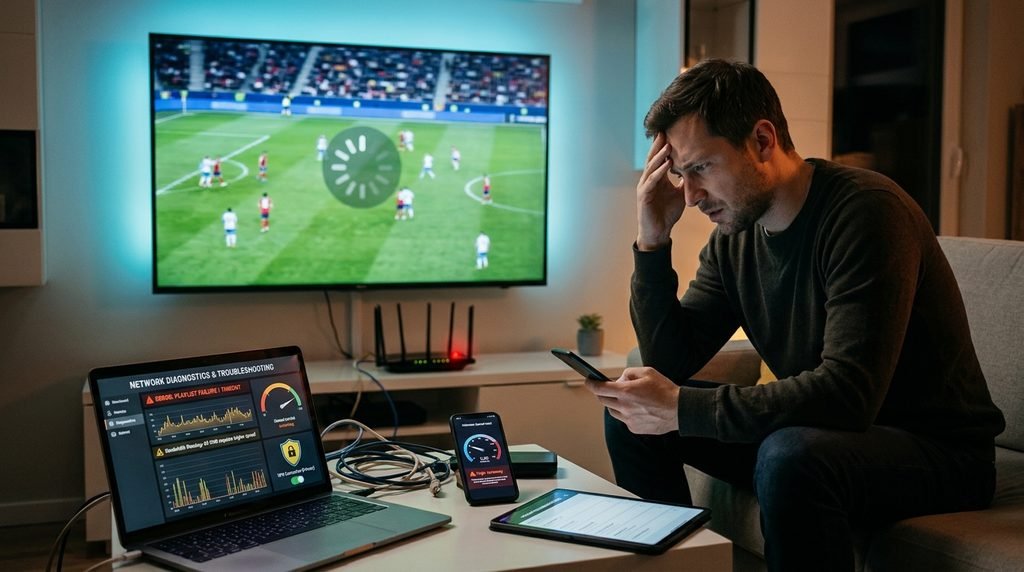
Buffering issues typically stem from localized Wi-Fi interference, ISP bandwidth throttling, software cache overload, or incorrectly configured player buffer settings.
Systematic network checks resolve over 90% of playback delays without requiring technical help.
                  +-----------------------------------+
                  | Experiencing Stream Buffering?   |
                  +-----------------+-----------------+
                                    |
                                    v
                  +-----------------------------------+
                  |  Run Speed Test (Min 25 Mbps)?    |
                  +--------+-----------------+--------+
                           |                 |
                  No       |                 | Yes
        +------------------+                 +------------------+
        |                                                       |
        v                                                       v
+------------------+                                   +------------------+
| Switch to 5GHz   |                                   | Enable VPN &     |
| Wi-Fi / Ethernet |                                   | Clear App Cache  |
+------------------+                                   +------------------+
Key Takeaway: Isolating local network bottlenecks using Ethernet cables or VPN encryption solves most playback buffering issues.
Resolving error codes, frozen streams, and playlist loading failures
Here is what actually happens when playback stops unexpectedly: local network packet loss causes the media player’s frame buffer to drop below critical thresholds, causing the video stream to pause.
Error Code 401 / 403 (Unauthorized Access): Credentials have expired or were entered incorrectly. Double-check your username, password, and portal URL for typos.
Playback Loop / Frozen Frames: Clear the app cache inside your device system settings. In TiviMate, go to Settings > Playback > Buffer Size and set the buffer to Medium (5 seconds).
Playlist Failed to Load: Toggle your VPN connection to a different server location or switch your device DNS settings to Cloudflare (1.1.1.1) or Google Public DNS (8.8.8.8).
Case Study: Resolving Prime-Time Sports Buffering
During a high-traffic Sunday football broadcast, a subscriber experienced continuous 1080p stream buffering on an Amazon Fire TV Stick connected over a 2.4 GHz Wi-Fi network. Testing showed local download speeds dropping to 8.2 Mbps due to network congestion, below the 25 Mbps threshold recommended by Amazon Fire TV speed guidelines for steady HD/4K playback.
Before Fix: 2.4 GHz Wi-Fi (8.2 Mbps)  ---> Frequent Buffering / Packet Loss
After Fix:  5 GHz Wi-Fi + WireGuard VPN ---> 112 Mbps Steady / 0 Buffer Drops
The issue was resolved by switching the Firestick to a 5 GHz Wi-Fi frequency, enabling a WireGuard-protocol VPN connection, and changing the TiviMate hardware decoder from “Native” to “Software.” Network speeds increased to 112 Mbps, eliminating buffering for the rest of the broadcast.
If you encounter persistent activation or server issues, contact technical support via the trex-tv.us contact us help center. Learn more about our technical operations on the trex-tv.us about us overview page.
Key Takeaway: Switching from congested 2.4 GHz Wi-Fi to a 5 GHz network and setting buffer sizes to 5 seconds resolves peak-hour streaming playback drops.
TRex IPTV Frequently Asked Questions
What channels are included in the TRex IPTV channel list?
The TRex IPTV lineup includes over 22,000 live channels across the US, UK, Canada, Europe, and international regions. It features local network affiliates, premium movie multiplexes, 24/7 single-show loops, and pay-per-view live sports channels in HD and 4K resolutions.
How many devices can stream TRex IPTV at the same time?
Standard subscription plans include one active connection. Subscribers can purchase multi-room connection add-ons during checkout to allow up to 4 simultaneous streams on different devices within the same household network.
What internet speed do I need for 4K IPTV streaming?
According to official Google TV and Amazon Fire TV hardware requirements, streaming 1080p HD requires a minimum steady speed of 10-15 Mbps, while 4K Ultra HD streams require at least 25 Mbps of dedicated download bandwidth per active device.
Does TRex IPTV provide an EPG TV guide?
Yes, TRex IPTV includes a fully integrated XMLTV Electronic Program Guide (EPG). The TV guide automatically populates program schedules, episode details, and air times directly within compatible player applications like TiviMate or IPTV Smarters Pro.
Can I use TRex IPTV with TiviMate on Firestick?
Yes, TRex IPTV works with TiviMate on Amazon Firestick devices. Users simply choose the Xtream Codes API login option inside TiviMate and enter the server URL, username, and password provided in their activation email.
Is a credit card required to request a free trial?
No, the 24-hour trial pass does not require entering credit card details. Users simply fill out the registration form on the official website to receive test line credentials via email.
Next Steps for Unlocking Your Streaming Setup
To test service stability and channel variety on your home device, request a 24-hour trial pass through the official trex-tv.us free trial page. Verify your channel list, evaluate 60 FPS sports playback, and test EPG schedules on your device before selecting a long-term plan.