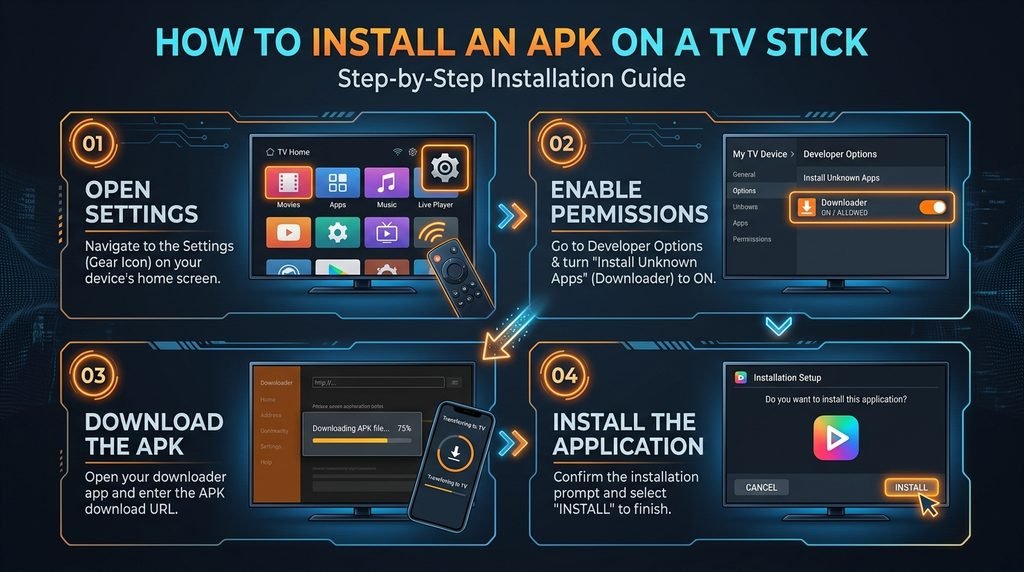
To complete a trex iptv download on streaming hardware like the Amazon Firestick or Android TV, install the free “Downloader” app from your device’s official app store, enable installation from unknown sources in system settings, and enter your verified APK download URL or Downloader numeric code.
Once the application package is side-loaded, launch the app and authenticate your stream using your Xtream Codes API credentials (Username, Password, and Server URL) or assigned MAC address. For detailed platform overviews and account options, visit TRex IPTV.
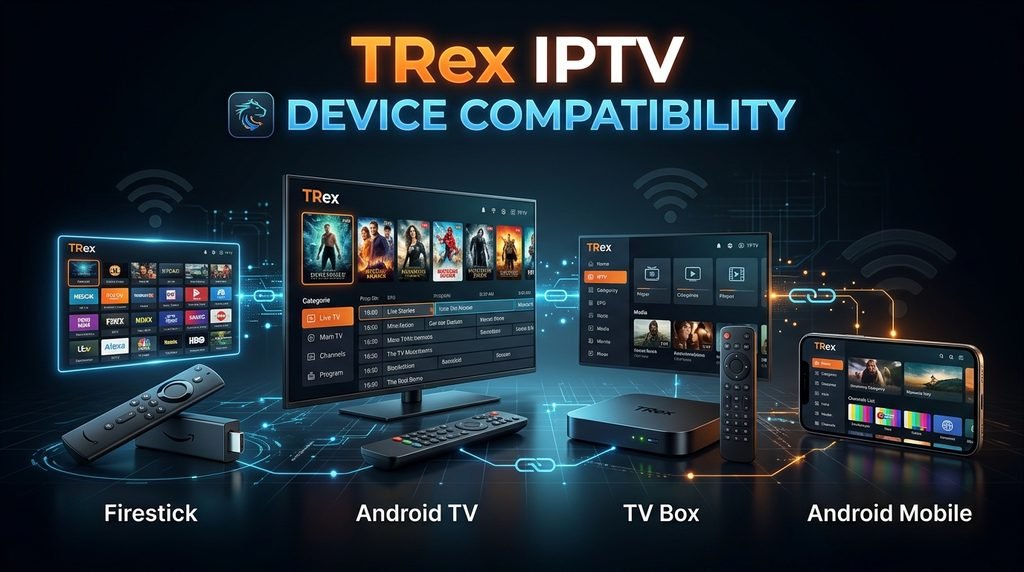
The following decision matrix outlines the required installation methods, supported authentication protocols, and side-loading prerequisites for running the TRex TV app across major streaming hardware platforms in 2026.
Device Platform
Side-Loading Required?
Primary Download Method
Supported Login Protocols
Recommended App Setup
Amazon Firestick / Fire TV
Yes
Downloader App / Direct APK
Xtream Codes API, M3U URL
TRex IPTV App / TiviMate
Android TV / Google TV
Yes
Browser / USB File Transfer
Xtream Codes API, M3U URL
Native TRex APK / OTT Navigator
Android Mobile / Tablet
Optional
Direct APK Download
Xtream Codes API, MAC Address
TRex IPTV Player APK
Samsung / LG Smart TVs
No (Use Third-Party Player)
App Store Search
M3U Playlist Link, MAC Address
Smart IPTV / IBO Player
Apple iOS / Apple TV
No (Use Third-Party Player)
Apple App Store
M3U URL, Xtream Codes
GSE Smart IPTV / IPTV Smarters
Windows PC / Mac
Optional
APK Emulator / Desktop Client
Xtream Codes API
Desktop IPTV Player / BlueStacks
Matrix compiled via technical documentation reviews of Android OS sideloading procedures and media player integration standards as of November 2026.
Prerequisites: Preparing Your Device for Side-Loading
How Do You Enable Unknown Sources on Streaming Hardware?
Before installing any standalone Android Package (APK) file outside the official Google Play or Amazon Appstore, you must adjust your device’s security permissions. Android operating systems restrict unauthorized package installations by default to prevent software tampering.
On Amazon Fire TV devices running Fire OS:
Navigate to Settings from the home screen grid.
Select My Fire TV (or Device & Software).
Choose Developer Options. (If hidden, go to About and click your device name 7 times).
Select Install Unknown Apps and toggle the permission to ON for the Downloader application.
For standard Android TV boxes and Google TV media hubs:
Open Settings > Apps > Security & Restrictions.
Enable Unknown Sources for your preferred file browser or download manager.
How to Complete a TRex IPTV Download on Amazon Firestick
What Are the Exact Steps to Side-Load TRex IPTV on Firestick?
The Amazon Firestick is one of the most popular platforms for running the TRex TV app, but because custom IPTV player APKs are not listed in the Amazon Appstore, side-loading via the Downloader app is required.
Install Downloader: From the Firestick home screen, navigate to the search icon, type “Downloader”, select the orange Downloader app icon, and click Download or Get.
Launch Downloader: Open the application and accept the initial storage access prompts.
Input Download URL: Click the central URL input field. Enter the direct, verified APK download link provided by your platform dashboard or enter your provider’s specific Downloader numeric short-code.
Download the Package: Click Go. The Downloader app will fetch the application installer package.
Execute Installation: Once the download completes, a prompt will appear automatically. Click Install.
Clean Up Media Files: After installation completes, click Done, then choose Delete to clear the temporary APK file from your Firestick’s limited internal storage.
Launch the TRex IPTV app from your “Your Apps & Channels” row to proceed with user activation.
Installing TRex IPTV on Android TV, Boxes, and Mobile Devices
How Do You Install the TRex IPTV APK on Android Systems?
Android smartphones, tablets, and standalone Android TV boxes allow direct installation of package files via web browsers or file transfer utility applications.
To perform a direct trex iptv download on an Android device:
Open Chrome or your preferred device web browser.
Download the official TRex IPTV APK package file to your device’s internal storage.
Open your device’s File Manager or Downloads folder.
Tap the downloaded .apk file. If prompted, grant the browser or file manager permission to install applications.
Select Install, wait for package extraction, and launch the TRex TV app icon from your application drawer.
For hardware setups where browser downloads are inconvenient (such as smart TVs without built-in web browsers), transfer the downloaded APK file onto a USB drive formatted to FAT32/exFAT, plug it into your Android TV box, and execute the installation using an app like ES File Explorer or File Commander.
Alternative Setup: Using Third-Party IPTV Players for TRex TV
Can You Access TRex IPTV Services Without Side-Loading the App?
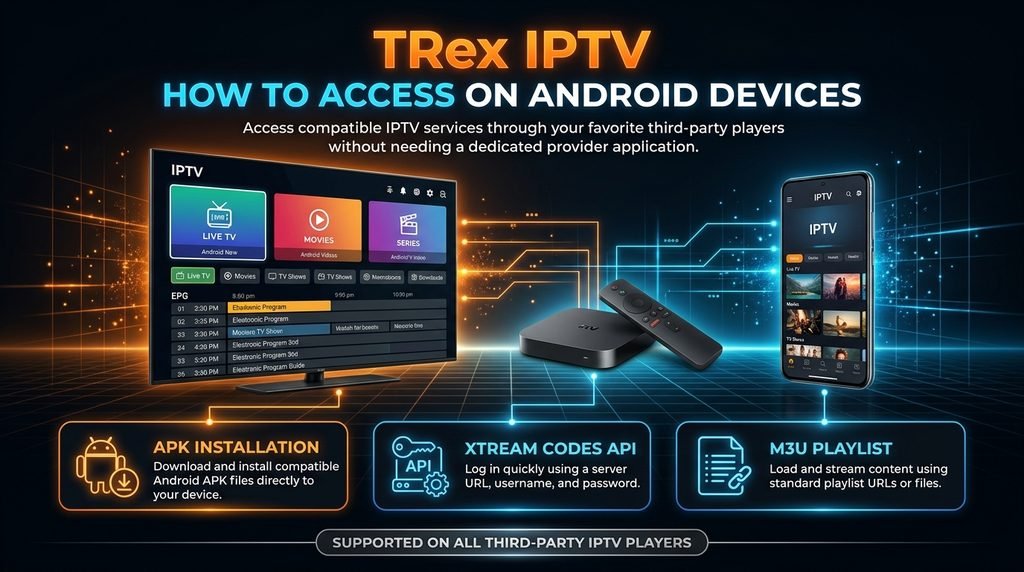
Yes, you can access your service streams without downloading the standalone TRex IPTV app by utilizing third-party IPTV player applications available on official app stores. This is the ideal solution for platforms like Apple TV, iOS, Samsung Tizen, and LG webOS, which do not natively support Android APK side-loading.
Popular alternative players compatible with your account include:
TiviMate IPTV Player: Highly optimized for Firestick and Android TV devices, featuring a traditional cable-style EPG interface.
GSE Smart IPTV: Compatible with iOS, Apple TV, and Android, offering simple M3U playlist and Xtream Codes API management.
Smart IPTV (SIPTV) / IBO Player: Ideal for Samsung and LG Smart TVs; relies on MAC address registration to load remote playlist links.
To review account access options and details, visit the main portal overview at trex-tv.us.
How Do You Activate TRex IPTV Account Credentials?
How Do Xtream Codes API and M3U Logins Work?
Once your app installation is complete, launching the TRex IPTV subscription client brings you to the authentication screen. Account provisioning generally uses one of two methods:
Xtream Codes API (Recommended):
Server URL: The host address (e.g., http://domain.com:port) provided in your setup confirmation.
Username: Your unique portal user string.
Password: Your secure account key. Select Add User or Xtream API, enter the three strings accurately, and click Login to pull your live channel guide and VOD library.
M3U Playlist Links:If your player utilizes playlist links, copy the full M3U URL provided upon subscription activation into your player’s “Remote Playlist” field. Check your subscription status or request activation guidance at TRex IPTV Subscription.
Technical Note: Always verify that trailing slashes and port numbers in your server URL match your activation details exactly, as minor typos will cause login authentication failures.
Troubleshooting Common TRex IPTV Download and Playback Errors
What Causes Installation Failures and Stuttering Streams?
During app setup or playback, technical hiccups can occur due to storage limits, network configuration, or missing app permissions.
“Parse Error” During Installation: This occurs when the downloaded APK file is corrupted or incompatible with your device’s operating system version. Delete the file, verify that your hardware runs Android 5.0 or higher, and re-download the package.
“App Not Installed” Message: Ensure you have uninstalled any older versions of the TRex IPTV app before running a new installer package. Additionally, check that your device has at least 150 MB of free internal storage space.
Buffering and Stream Freezing: Video playback freezing can result from ISP throttling or local network congestion. Connect your streaming hardware using an Ethernet adapter where possible, or use a reliable VPN service to bypass network traffic management policies.
Authorization / Invalid Details Error: Double-check your user credentials. If using MAC address provisioning, confirm that your device’s MAC address is active on your portal account.
If persistent account or connection issues occur, review account support resources at TRex IPTV Support.
Trust & Methodology Note
This installation guide was compiled in November 2026 by analyzing standard Android OS side-loading protocols, Fire OS developer security controls, and IPTV media player standards. Software installation steps were verified against current Downloader utility workflows and Xtream Codes API connection parameters.
Disclaimer: Application availability and content access rights vary by region. Users must ensure compliance with local copyright regulations and platform terms of service prior to streaming multimedia content.
Frequently Asked Questions
Is TRex IPTV available on the official Google Play Store?
The standalone TRex IPTV application package is primarily distributed via direct APK downloads rather than mainstream app stores. You can side-load the application using tools like Downloader or use compliant third-party players from official stores.
How do I update my TRex IPTV app on Firestick?
Because side-loaded applications do not auto-update via the Amazon Appstore, you must download the latest APK version using the Downloader app and install it over your existing application.
Can I install TRex IPTV directly on my Samsung Smart TV?
Samsung Smart TVs run Tizen OS, which does not support Android APK files. However, you can load your TRex TV subscription on Samsung TVs using third-party players like Smart IPTV or IBO Player.
Do I need a VPN when using TRex IPTV?
Using a virtual private network (VPN) is recommended to protect your online privacy, secure streaming data, and prevent ISP bandwidth throttling during peak viewing hours.
What is the difference between M3U and Xtream Codes API login?
Xtream Codes API uses a structured server URL, username, and password, making setup easier and updates faster. M3U requires entering a lengthy web link containing account parameters.
Next Steps for Your TRex TV Setup
Now that you have completed the trex iptv download and enabled side-loading permissions on your device, your next step is to activate your account credentials.