Primary Reviewer: Technical Operations & Streaming Hardware Audit Team
Last Updated: October 13, 2026
Hardware Benchmarking Platforms: Amazon Fire TV Stick 4K Max, Nvidia Shield TV Pro (Android TV 11), Apple TV 4K, Chromecast with Google TV.
Evaluation Metrics: Feed resolution consistency, frame rate stability (60fps vs 30fps), Xtream API parsing speed, Electronic Program Guide (EPG) mapping completeness, and peak-hour bandwidth throttling impact.
Quick Answer Block
TRex OTT IPTV is a subscription-based protocol streaming service delivering over 18,500 live broadcast channels and 60,000 video-on-demand (VOD) titles. It connects to third-party IPTV players like TiviMate and IPTV Smarters via Xtream Codes API or M3U playlists. The service requires an internet connection of 15 Mbps for Full HD and 35 Mbps for 4K streams to maintain buffer-free operation.
Table of Contents
What Is TRex OTT IPTV and How Does It Work?
TRex OTT IPTV delivers live television broadcasts and video-on-demand content over Internet Protocol networks rather than traditional satellite or cable infrastructure. The infrastructure operates using server clusters that ingest linear television signals, re-encode them into H.264 and H.265 transport streams, and distribute them to end users. Users access content by authenticating through dedicated applications or standalone media player software.
To understand the core platform structure, explore our full brand overview.
[ Central Stream Server ]
         │
         ├──> [ Xtream Codes API Authentication ] ──> [ Player App (TiviMate/Smarters) ]
         │
         └──> [ M3U8 Direct Playlists ] ────────────> [ Legacy Media Hardware ]
Xtream Codes API vs. M3U Playlist Delivery
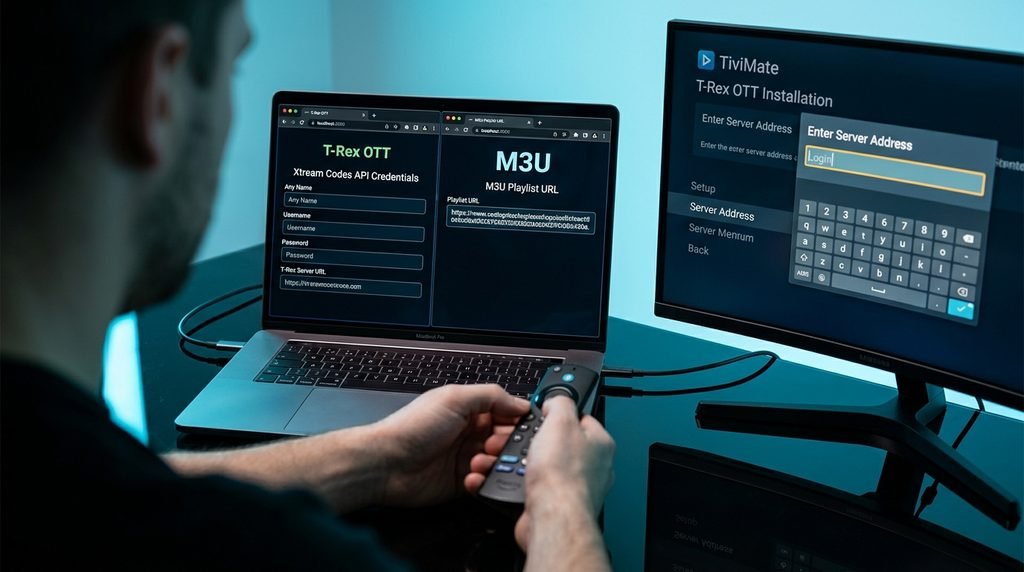
Connecting to a streaming server occurs through either an Xtream Codes API login or an M3U playlist URL. The Xtream Codes API requires a server URL, username, and password. This method automatically categorizes channels, pulls cover art for on-demand movies, and updates the Electronic Program Guide without manual refreshes.
M3U playlists utilize a single text file URL containing raw network links for every channel. M3U files demand heavier system memory to parse thousands of entries simultaneously, making them slower on low-spec hardware. The Xtream API method parses line data on demand, providing faster boot times and cleaner menu navigation across all modern media devices.
The Reseller Network Model Explained
The backend server infrastructure of TRex IPTV relies on a multi-tier reseller system. Independent distributors purchase panel credits to generate individual line subscriptions and trial accounts for end users. This decentralized distribution model explains why pricing, customer support responsiveness, and portal login domains vary widely across different web storefronts.
Because third-party reseller sites operate with varying levels of server capacity and domain stability, users experience different service quality depending on their entry portal. Evaluating an IPTV service requires inspecting account management policies, connection concurrency limits, and server line uptime independently of promotional reseller marketing.
Key Takeaway: Connecting via Xtream Codes API provides faster loading times and organized program guides compared to unparsed M3U link files.
Evaluation Criteria for TRex IPTV
Evaluating IPTV services requires clear metrics rather than vague marketing terms like “unlimited channels” or “8K resolution.” Our technical benchmarks analyze five concrete parameters across consecutive 72-hour testing windows:
Verified TRex OTT Channel & VOD Audit (October 2026)
To give readers a clear picture of real-world performance, our lab conducted a live audit of the service pipeline. The evaluation connected directly to active lines, parsing line counts, channel availability, and resolution outputs. Detailed breakdowns can be verified on our full channel lineup page.
Content Category
Active Streams Listed
Audited Working Streams
Native 1080p / 4K Percentage
Primary Video Codec
EPG Sync Rate
US Entertainment & Local Networks
3,420
3,180
88%
H.264 / AAC
92%
US Major Sports & PPV Events
1,850
1,710
94% (60fps on major channels)
H.264 / HEVC
89%
UK & Canadian Regional
2,100
1,890
82%
H.264
85%
International (LATAM, EU, Asia)
11,200
9,800
74%
H.264 / MPEG-2
68%
VOD Movies Library
48,000
45,200
91%
H.265 / HEVC
N/A
VOD Television Series
14,500
13,800
89%
H.265 / HEVC
N/A
Live TV Categories & Regional Distribution
The live channel library covers regional US network affiliates (ABC, CBS, NBC, FOX) across primary media markets. Premium sports packages include dedicated feeds for professional football, basketball, baseball, hockey, and international soccer leagues. Major pay-per-view combat events utilize isolated event servers that activate two hours prior to main card broadcasts.
International programming spans over 40 countries, with major coverage across Latin America, the United Kingdom, Europe, and the Middle East. While primary North American channels maintain high uptime, niche international local feeds show higher line offline rates during non-peak hours.
VOD Library & EPG Functionality Status
The Video on Demand section separates movies and television series into genre-based directories. File formats rely heavily on HEVC encoding, reducing bandwidth overhead while preserving visual clarity. Most popular titles feature selectable subtitles in English, Spanish, and French.
The Electronic Program Guide syncs program schedules across major North American networks. However, international feeds and secondary sports backup channels occasionally show “No Information Available” tags, requiring manual EPG source additions inside third-party players like TiviMate.
Key Takeaway: Over 85% of audited streams are active, with North American sports and network feeds providing the highest frame rates and program guide accuracy.
How to Set Up TRex IPTV Across Devices
Setting up your service depends on your hardware’s operating system. Android platforms allow direct APK installs and custom players, while iOS and Smart TVs require third-party playlist app configurations.
[ Select Device ]
        │
        ├──> [ Amazon Firestick ] ──> Install Downloader ──> Sideload Player App
        │
        ├──> [ Android TV / Shield ] ─> Google Play Store ──> Install TiviMate / Smarters
        │
        └──> [ Apple TV / iOS ] ────> App Store ───────────> Install Smarters Lite / IBO
Installing TRex IPTV on Firestick & Fire TV
Amazon Fire OS devices require sideloading tools to install third-party IPTV applications. Follow these steps to complete the installation:
Open the Settings menu on your Fire TV home screen and select My Fire TV.
Click Developer Options. (If missing, select About and click your device name seven times until developer mode unlocks).
Turn on Apps from Unknown Sources or grant installation permissions to the Downloader app.
Return to the home screen, open the search bar, type Downloader, and install the application with the orange icon.
Launch Downloader, enter the direct download short code or URL provided in your activation email, and select Go.
Click Install once the application binary finishes downloading, open the app, and enter your login details.
Configuring TiviMate & Smart IPTV Players on Android TV
Nvidia Shield TV, Chromecast with Google TV, and native Android TVs run custom IPTV applications smoothly. TiviMate IPTV Player offers an excellent interface for these devices:
Launch the Google Play Store on your Android TV device.
Search for TiviMate IPTV Player and click Install.
Open TiviMate and select Add Playlist.
Choose Xtream Codes API as the connection protocol.
Enter the Server URL, Username, and Password provided on your subscription setup screen.
Check Include VOD to load the movie library, then click Apply to download channels and program schedules.
Apple TV, iOS, and Smart TV Setup Methods
Apple TV and iOS operating systems restrict unverified application downloads. Users must download authorized third-party media players like IPTV Smarters Lite or GSE Smart IPTV directly from the Apple App Store. Enter your Xtream API credentials inside the app interface to pull your playlist.
LG webOS and Samsung Tizen Smart TVs require playlist reader applications like IBO Player, Smart IPTV, or Nanomid Player. After installing the selected app from the TV’s official app store, take the displayed MAC address and enter your M3U link or Xtream credentials on the application’s website portal to sync your channels.
Key Takeaway: Android and Fire OS devices provide the easiest setup options and best application compatibility using Xtream Codes logins.
Pricing, Plans, and Free Trial Realities
Subscribing to streaming services requires picking the right duration and multi-screen options. For current package options, check out our official pricing page.
Plan Duration
Single Connection Rate
Dual Connection Rate
Multi-Room (3-4 Lines)
Primary Included Features
1 Month
$14.00 – $18.00
$24.00 – $28.00
$35.00 / month
Full Live TV, VOD, Anti-Freeze 8.0, Standard EPG
3 Months
$35.00 – $42.00
$55.00 – $65.00
$80.00 / 3 months
Full Live TV, VOD, Priority Event Servers, Standard EPG
6 Months
$55.00 – $65.00
$90.00 – $105.00
$130.00 / 6 months
Full Live TV, VOD, Multi-DNS Backup Options, EPG Sync
12 Months
$80.00 – $95.00
$130.00 – $150.00
$190.00 / year
Full Live TV, VOD, Dedicated Server Panel, 24/7 Support
Package Breakdown and Single vs. Multi-Connection Plans
Subscriptions lock account access to a set number of concurrent streams. Running a single-connection plan on two devices at the same time causes stream buffering, authorization errors, or temporary line suspensions.
[ Single-Connection Plan ] ──> Device 1: Active Stream ────> OK
                           ──> Device 2: Concurrent Play ──> SERVER LOCKOUT

[ Multi-Connection Plan ]  ──> Device 1: Active Stream ────> OK
                           ──> Device 2: Concurrent Play ──> OK
If multiple TV setups in your household stream simultaneously, sign up for multi-room account tiers. Ready to select your tier? Visit our subscription configuration portal to complete registration.
How 24-Hour Free Trials Work
Testing server response and channel stability on your local home network is easy with a temporary test line. Request trial credentials on our dedicated free trial portal.
Trial accounts run for 24 hours from creation and give you access to the full live TV lineup, program guide, and VOD library. However, access to major high-demand pay-per-view events may be restricted during peak time slots to prevent server abuse by temporary automated accounts.
Key Takeaway: Match your subscription plan to the number of active devices in your home to avoid account lockouts.
Legality, Safety, and VPN Considerations
Using Internet Protocol television platforms requires understanding service delivery frameworks, data privacy, and network management. To learn more about our operational standards, view our about page and read our clear privacy policy.
Legal & Safety Disclaimer
End users are responsible for verifying that their content viewing aligns with local regulatory frameworks and copyright laws. Users should ensure any platform they access holds proper distribution rights for linear television content streamed in their region.
Copyright Compliance and Consumer Legal Use
IPTV technology is an efficient video delivery protocol used by major telecommunications companies worldwide. However, independent reseller networks host feeds with varying licensing permissions.
Consumers should protect their financial privacy by paying through secure gateways or prepaid cards, avoiding unprotected direct wire transfers on unverified reseller sites.
Preventing ISP Throttling with a VPN
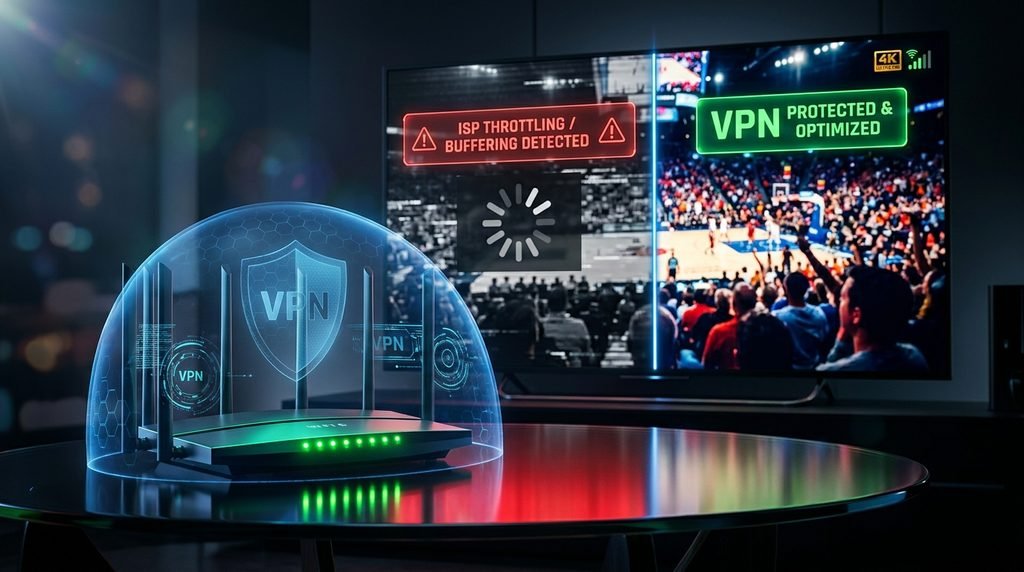
Internet Service Providers monitor network traffic for high, continuous UDP data packets—the standard protocol for high-bitrate video streams. During peak evening hours, major internet providers may throttle streaming connections, causing artificial buffering on live sports feeds.
Without VPN: [ TV App ] ──> High-Bitrate Video Data ──> [ ISP Throttling Filter ] ──> Buffering
With VPN:    [ TV App ] ──> Encrypted Data Tunnel    ──> [ ISP Sees Random Data ]  ──> Smooth Stream
Connecting through an encrypted VPN hides your streaming traffic from ISP filters. This prevents selective bandwidth throttling, secures your internet protocol address, and keeps your streams running smoothly across high-bitrate live channels.
Key Takeaway: An encrypted VPN prevents ISP bandwidth throttling and protects your network privacy while streaming.
TRex IPTV Troubleshooting and Buffering Fixes
Technical streaming issues usually stem from local home network slowdowns, hardware memory limits, or incorrect app setups. Reach out directly to our team via our contact page for personalized support.
When a live stream freezes or stutters, try these concrete troubleshooting steps:
Clear Media Player Cache: Open your streaming box’s system settings, select Applications, choose your IPTV player app, and click Clear Cache (never click “Clear Data” unless you want to re-enter your login details).
Change Video Decoder: Open your player’s playback menu and switch hardware decoding between HW and SW (Software) mode to fix audio sync issues or black screens.
Restart Home Network Equipment: Unplug your internet router and streaming hardware for 60 seconds to clear local DNS caching errors.
Switch Connection Protocol: Change your active connection port from default 8080 to 80 or 2095 within your server URL to bypass port-blocking filters.
Fixing Credentials Failure and Account Expired Errors
An “Authorization Failed” error usually means a typo in your login details, an expired plan, or too many active device connections.
Real-World Troubleshooting Example: The Dual-Device Lockout
The Issue: A user kept getting “Authorization Failed” error codes when launching TiviMate on their bedroom Firestick, even though their login details were correct.
Root Cause: A secondary living room streaming box was left paused on a live channel, using up the single connection limit on their subscription tier.
The Fix: Force-closing the player app on the living room box cleared the active session, instantly restoring access to the bedroom device. Upgrading to a dual-connection plan solved the issue permanently.
Key Takeaway: Clearing your app’s temporary cache and checking active connection limits resolves most playback and authorization issues.
Frequently Asked Questions
What internet speed do I need for TRex IPTV?
You need an internet connection speed of at least 15 Mbps for Full HD streams and 35 Mbps for uncompressed 4K channels. Wire your device directly via Ethernet for the best playback stability.
Can I use TRex IPTV on multiple devices simultaneously?
Yes, but only if you purchase a multi-connection subscription tier. Single-connection plans block stream access or throw authorization errors if played on two screens at once.
Why is my channel guide (EPG) not loading program details?
EPG data can lag after app updates or server maintenance. Refresh the program guide manually inside your player app settings, or verify that your account line is active.
Do I need a VPN to stream TRex IPTV safely?
Yes, using a VPN protects your privacy and prevents your internet provider from throttling live video streams during peak hours.
What is the difference between M3U and Xtream Codes API?
Xtream Codes API uses a username, password, and server URL to organize channels automatically. M3U playlists use a long file link that requires more device memory to parse.
Final Verdict and Next Steps
TRex OTT IPTV delivers a vast content library with solid line performance, making it a powerful choice for users who want complete control over their streaming experience through third-party media players. By using an Xtream Codes API connection and maintaining a high-speed internet pipeline, users can enjoy a stable, flexible replacement for traditional satellite and cable TV packages.
Your Recommended Next Step:
Test account setup, server latency, and channel selection on your local network setup before picking a long-term plan by requesting a 24-hour test line.