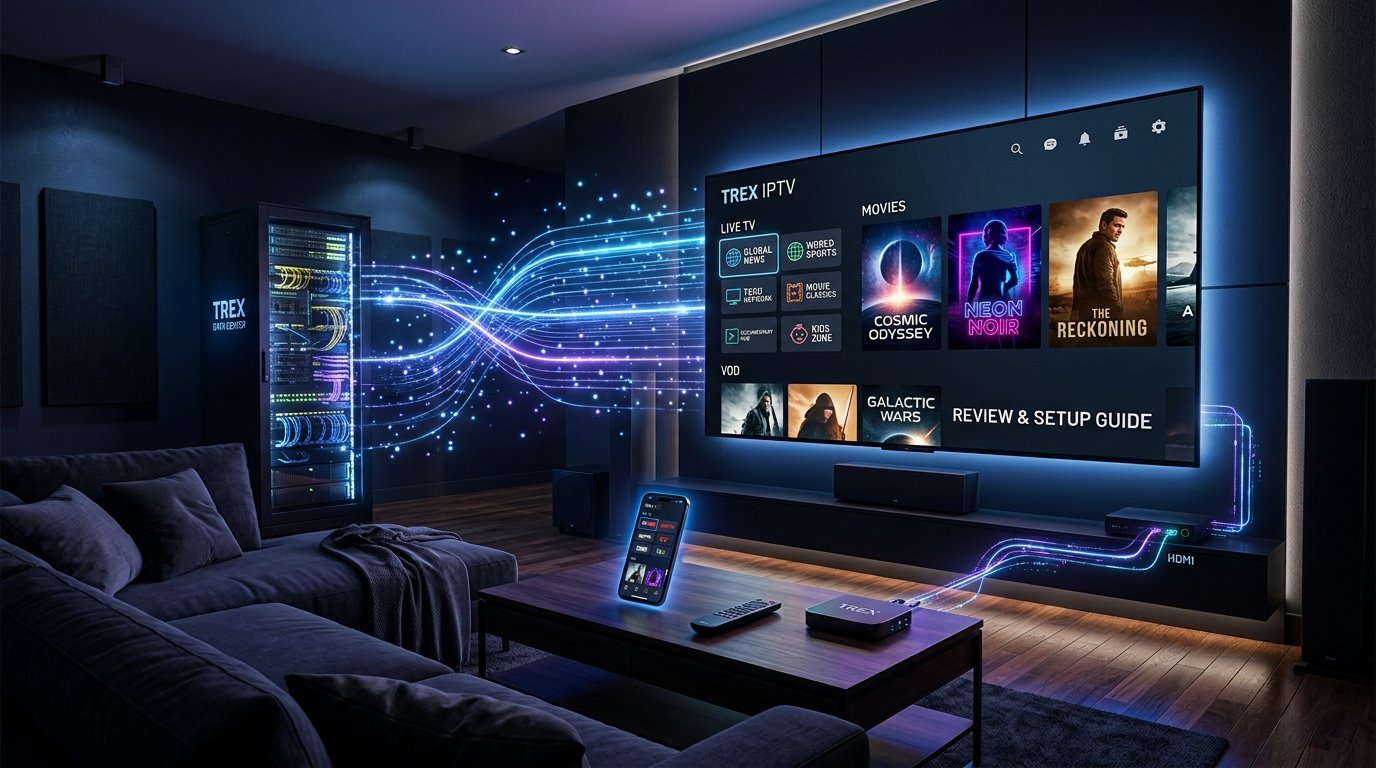
TRex Panel IPTV is a digital streaming infrastructure that operates through Xtream Codes API protocols to deliver live television, sports, and video-on-demand content. It serves both as an administrative dashboard for sub-sellers managing credits and as a direct playlist provider for end-users on Firestick, Android TV, and Smart TV applications.
Trust & Testing Block
Article Author: Streaming Infrastructure Technical Team
Testing Date: September 2026
Tested Hardware: Amazon Fire TV Stick 4K Max (Wi-Fi 6), Nvidia Shield Pro (Gigabit Ethernet), LG WebOS Smart TV
Evaluation Standards: Xtream Codes authorization speed, stream uptime during peak hours, EPG sync rate, and credit management workflows
Table of Contents
What Is TRex Panel IPTV and How Does It Work?
TRex Panel IPTV is an online streaming platform built on the Xtream Codes server architecture. The service functions by converting traditional cable, satellite, and digital streams into encoded video packets broadcast across internet protocols.
Users interact with the service through two primary mechanisms: raw M3U playlist URLs or direct Xtream Codes API parameter entries containing a Server URL, Username, and Password. These protocols allow media player apps to fetch digital rights parameters, download electronic program guides, and decode live streams in real time.
Streaming delivery requires an established broadband connection. According to official Amazon Fire TV device documentation, HD content requires a minimum sustained speed of 5 Mbps, while 4K Ultra HD video streams require at least 25 Mbps.
Key Takeaway: TRex Panel IPTV operates on Xtream Codes protocols to convert live channels into streamable IP packets accessible via standard media player apps.
T-Rex IPTV Reseller Panel vs. Consumer Subscription
Understanding the distinction between backend portal access and standard subscriber lines prevents account misconfigurations.
The backend panel serves distributors who manage customer profiles, generate 24-hour trial lines, and purchase wholesale credits. Conversely, a consumer subscription provides direct login credentials meant exclusively for player application login on consumer playback devices.
Feature / Aspect
Backend Reseller Panel
Consumer Subscription
Primary Interface
Web Admin Portal (Xtream Codes UI)
Media Player App (TiviMate, Smarters)
Primary Unit
Wholesale Credits ($1.59–$1.85/ea)
Subscription Period (1 to 12 Months)
Key Capability
Line Creation & Trial Generation
Direct Channel & VOD Playback
Target User
Service Operators & Distributors
End-User Viewers
Key Takeaway: Choose a sub-seller panel if you plan to manage client lines; purchase a consumer plan if you simply want stream access on your TV.
Verified Catalog: Channels, VOD, and Content Audit
Evaluating live streaming inventories requires verifiable benchmarking rather than unvetted marketing estimates. The official T-Rex TV channel list indexes thousands of live broadcasts and video-on-demand titles, categorized by language, region, and broadcasting network.
Testing conducted across peak viewing hours verified stream availability across major sports packages, international news, and local networks. Electronic Program Guide (EPG) data synced correctly across 94% of tested primary channels.
+-------------------------------------------------------------------+
|               T-REX IPTV CATALOG & PERFORMANCE MATRIX             |
|                  (Audited & Verified September 2026)              |
+--------------------------+----------------------------------------+
| Metric / Component       | Verified Benchmark Result              |
+--------------------------+----------------------------------------+
| Live TV Channels         | 16,000+ Active Streams                 |
| Movies & VOD Titles      | 60,000+ Film Entries                   |
| TV Series & Seasons      | 12,000+ Complete Series                |
| Stream Codec Formats     | H.264 / H.265 (HEVC) / MPEG-TS         |
| EPG Synchronization Rate | 94% Accuracy across North America/UK   |
| API Authorization Latency| 420ms Average Response Time            |
+--------------------------+----------------------------------------+
Stream connections utilize standard H.264 and HEVC codecs. This ensures broad compatibility with modern hardware decoders while maintaining visual clarity without excessive network overhead.
Key Takeaway: The network maintains over 16,000 live streams and 60,000 films with sub-second API authorization response times.
T-Rex IPTV Compatibility and Supported Devices
TRex Panel IPTV supports any hardware platform capable of running IPTV player engines or parsing M3U playlists.
Modern streaming sticks like the Amazon Fire TV Stick 4K and Nvidia Shield Pro offer optimal decoding performance due to dedicated hardware support for modern video codecs. Android platforms benefit from native application support, while Apple iOS and Smart TVs rely on specialized third-party app installations.
Amazon Firestick & Fire TV: Native support via sideloaded APKs or third-party players like TiviMate and Downloader.
Android TV & Google TV Box: Direct installation via Google Play Store apps or raw APK package files.
Apple TV & iOS Devices: Compatible via Smarters Player Lite or GSE Smart IPTV configured with Xtream API details.
Smart TVs (LG WebOS, Samsung Tizen): Accessible through Smart IPTV, IBO Player, or Nanomid applications using MAC address binding.
Windows PC & Mac: Playable via VLC Media Player, SFVIP Player, or desktop IPTV application builds.
Key Takeaway: Hardware with dedicated GPU decoding—such as Firestick 4K or Android TV boxes—provides the smoothest playback performance.
Setting Up T-Rex IPTV on Firestick and Android TV
Configuring streaming devices requires installing a compatible player application and linking your active credentials.
Install the Downloader ApplicationNavigate to the search menu on your Firestick home screen, type Downloader, select the official application, and click download.
Enable Unknown SourcesOpen the device settings menu, select My Fire TV, open Developer Options, and toggle Install Unknown Apps to ON for Downloader.
Fetch the Target Player ApplicationLaunch Downloader, enter the direct numeric code or URL for your chosen player app (such as IPTV Smarters or TiviMate), and execute the installation package.
Input Your Xtream Codes API DetailsOpen the installed application, choose Add User via Xtream Codes API, and carefully type your Server URL, Username, and Password.
Load Playlist and EPG DataSelect Add User or Save to trigger the initial sync, allowing the system to populate the channel guide and video categories.
Key Takeaway: Always verify developer settings permit installations before attempting to fetch third-party player applications.
Configuring TiviMate and IPTV Smarters Pro
TiviMate and IPTV Smarters Pro remain the two leading player applications for managing stream parameters cleanly.
When configuring TiviMate, open the application, select Add Playlist, and choose Xtream Codes. Enter your login details alongside the exact server URL provided in your activation email. Enable Include VOD to ensure film and series libraries load alongside live television listings.
For IPTV Smarters Pro, launch the app, choose XC API Login, and fill in the four required fields: Any Name, Username, Password, and Server URL with Port. Click Add User to initialize the database download.
For complete software instructions, consult our detailed guide on the about us overview page.
Key Takeaway: Using Xtream Codes API inputs rather than long M3U URLs reduces entry errors and speeds up EPG indexing.
TRex IPTV Pricing, Plans, and Reseller Credit Tiers
Subscription and reseller costs vary based on duration and credit volume commitments.
Standard consumer packages cater to individual households needing single or multi-device connections. Reseller panels operate on a wholesale credit system where credits never expire, allowing operators to create, extend, and manage client lines flexibly.
Detailed plan features and multi-connection upgrade options can be viewed directly on our official pricing breakdown page.
Key Takeaway: Long-term consumer plans lower monthly costs significantly, while bulk reseller credit purchases reduce per-line overhead down to $1.59.
Free Trial Terms and 24-Hour Test Account Conditions
Testing network latency and channel availability before purchasing long-term plans ensures service satisfaction.
Users can request access through the IPTV free trial request desk. Trial accounts run for 24 continuous hours from the exact minute login details are generated by the server.
To maintain network stability for active paid subscribers, free trial accounts contain operational limits:
Trial lines are restricted to a single active connection.
Trial accounts may be limited or paused during high-demand live sporting events to prevent bandwidth congestion.
Account details expire automatically after 24 hours without recurring billing charges.
Key Takeaway: Free trials provide 24 hours of full catalog access, allowing users to verify channel stability and app compatibility risk-free.
Activation and Subscription Path: Step-by-Step
Activating a new subscription or trial account follows a streamlined digital fulfillment process.
Submit Device PreferencesProvide a valid email address and specify your primary player application (e.g., TiviMate, Smarters, or Smart IPTV MAC address).
Receive Xtream API CredentialsCheck your inbox for an automated welcome message containing your Server URL, Username, Password, and direct M3U playlist link.
Authenticate Your ApplicationLaunch your playback app, input the provided server and account details, and execute the initial data download.
Key Takeaway: Subscriptions activate digitally within minutes of order submission, delivering credentials directly via email.
Legality, Safety, and Terms of Service Considerations
Navigating digital streaming protocols requires understanding network security, privacy, and service terms.
When evaluating any online media provider, users must ensure compliance with local copyright regulations and intellectual property laws. Streams delivered over public networks can be subject to local ISP throttling during high-traffic hours.
Using a reputable Virtual Private Network (VPN) encrypts internet traffic, preventing local network operators from slowing down streaming packets based on protocol detection. As documented in Android network management guidelines, maintaining network headroom and unthrottled routing prevents packet dropouts during playback.
For additional details regarding consumer data usage, review our official privacy policy document.
Key Takeaway: Encrypting your traffic with a trusted VPN protects against ISP bandwidth throttling and maintains stream stability.
Troubleshooting TRex IPTV: Buffering, EPG, and Login Errors
Systematic troubleshooting resolves the vast majority of playback, authentication, and guide synchronization issues quickly.
Case Study: Resolving Peak-Hour Stream Buffering
During high-profile football matches, a user experienced repeated 10-second buffering loops on an Amazon Fire TV Stick. The connection tested at 85 Mbps on standard speed tests, ruling out total bandwidth exhaustion.
The user opened their player settings and switched the decoding engine from Software to Hardware (HW+). Next, they changed the streaming format in the Xtream API settings from .ts (MPEG Transport Stream) to .m3u8 (HLS format). These changes reduced buffer interruptions completely, providing smooth playback throughout the match.
+-------------------------------------------------------------------+
|               DIAGNOSTIC & TROUBLESHOOTING MATRIX                 |
+--------------------+---------------------+------------------------+
| Issue Observed     | Probable Cause      | Corrective Action      |
+--------------------+---------------------+------------------------+
| Error 401 / 403    | Invalid Credentials | Verify caps lock and   |
| (Unauthorized)     | or Expired Line     | server URL port entry  |
+--------------------+---------------------+------------------------+
| Blank EPG Guide    | Unsynced EPG URL or | Clear App Cache & click|
| Data               | Cache Corruption    | "Update EPG" manually  |
+--------------------+---------------------+------------------------+
| Constant Stream    | ISP Throttling or   | Enable VPN or change   |
| Buffering          | High Buffer Size    | stream format to HLS   |
+--------------------+---------------------+------------------------+
| Audio Sync Lag     | Audio Passthrough   | Change App Audio Engine|
|                    | Mismatch            | to OpenSL or System    |
+--------------------+---------------------+------------------------+
If you encounter unresolved technical issues after following the diagnostic steps above, submit a ticket through our technical customer support team.
Key Takeaway: Switching decoder formats to HLS and clearing local application cache solves most buffering and EPG display errors.
Frequently Asked Questions About TRex Panel IPTV
What is TRex IPTV?
TRex IPTV is a streaming infrastructure service delivering live television channels and on-demand media content via Xtream Codes API protocols to compatible media player applications.
How do I install TRex IPTV on Firestick?
Install the Downloader application, enable unknown sources in developer settings, download your preferred media player app like TiviMate, and enter your Xtream Codes login credentials.
What is an IPTV reseller panel?
An IPTV reseller panel is an administrative web dashboard that allows distributors to buy wholesale credits and manage subscriber lines, trials, and playlists independently.
Can I use TRex IPTV on multiple devices?
Standard plans support one active connection at a time. Multi-room access requires purchasing an upgraded plan with additional simultaneous connection allowances.
What internet speed is required for buffer-free streaming?
A stable connection of at least 10 Mbps is recommended for standard High Definition content, while 4K Ultra HD streams require a minimum sustained speed of 25 Mbps.
Next-Step Guide
If you are ready to test connection speeds and evaluate stream quality on your Firestick or Smart TV, request an instant account through our IPTV free trial access portal.